Private and Personal Information
It's in our students' nature to share and connect with others. But sharing online comes with some risks. How can we help kids build strong, positive, and safe relationships online? Help your students learn the difference between what's personal and what's best left private.
Objectives
Identify the reasons why people share information about themselves online.
Explain the difference between private and personal information.
Explain why it is risky to share private information online.
Vocabulary
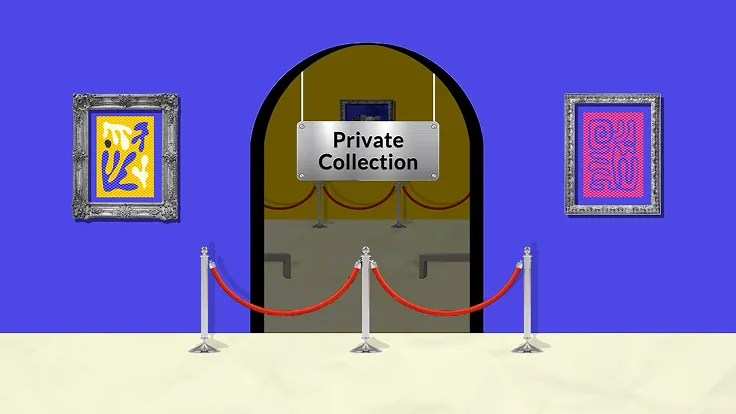
private information - information about you that can be used to identify you because it is unique to you (e.g. your full name or your address)
Shorter Lesson Plan
View supporting resources from the modules in this course.
Private and Personal Information: Activity Steps15 Minutes
Step 1.
Introduce the video topic to students by saying: Today we are going to watch a video that explores what type of information is and is not OK to share online.
Step 2.
Show the Private and Personal Information video (1:20 minutes). (Note: The video is also available in Spanish, and you can use the video player to turn on subtitles.)
Step 3.
Lead a class discussion exploring the questions below.
- What type of information about you is OK to share?
Sample responses:- It is OK to share personal information. Personal information includes things like: what you like to do, your favorite movie, ideas that you have, or even pictures of your pet.
- What type of information isn't?
Sample responses:- It is not OK to share private information. Private information includes things that identify you, such as your full name, home address, phone number, school, or date of birth.
- Why shouldn't you share private information?
Sample responses:- You should not share private information because someone could use it to identify you individually. They could try to contact you, or use the information to impersonate you.
Distance learning option: Have students watch the video and complete the handout. If there’s time, have students share their responses during a video meeting.
Longer Lesson Plan
View supporting resources from the modules in this course.
Warm Up: Stand Up, Sit Down10 Minutes
Before the lesson: As an optional activity before the lesson, have students play the Share Jumper game in Digital Passport™ by Common Sense Education. This will help introduce key concepts of this lesson. To see more, check out the Digital Passport Educator Guide.
Step 1.
Say: Today we're going to start with a little game. For each statement that I read, if it is true about you, stand up. If it isn't true, stay seated. After each statement, look around to see who else is standing or sitting. (Slide 4)
Step 2.
Read the statements below to your class, allowing time for students to stand or sit after each one. Prompt all students to sit back down before moving on to the next statement.
- Stand up if you or your family speak another language besides English.
- Stand up if you have two or more siblings.
- Stand up if you have a pet.
- Stand up if you have ever been on YouTube.
- Stand up if you have ever shared something about yourself online.
Step 3.
Have students all sit back down and ask: What did you learn from doing that activity? Did you enjoy it? Why or why not?
Invite volunteers to share out. If necessary, follow up with students who share by asking to explain what they found fun or not fun about it.
Step 4.
Say: The purpose of that activity was to have some fun getting to know each other better. There are many situations where sharing information about yourself can be fun and positive. One of those situations is on the internet, where sharing your likes, opinions, and other personal information -- but not private information -- can be positive and fun.
Analyze: Why Do People Share?10 Minutes
Step 1.
Say: In today's lesson, we're going to talk about being online -- and ways that you can share things about yourself that are fun and that connect you with others. We're also going to talk about ways that you can protect yourself so that you don't share more than you should.
Step 2.
Project "Did You Know?" on Slide 5.
Step 3.
Ask: What do you observe in this slide? What's the main idea it's trying to show? Share your ideas with your partner.
Invite students to share their responses. If necessary, clarify the meaning of hardwired as something you're born with, that sharing is something humans do naturally, and that there are many benefits to it.
Step 4.
Say: What is something about you that you might share with others that would give you one of these benefits? Take turns sharing your idea with your partner.
Invite students to share out their answers. Follow up by asking them to explain which benefit the example would give them (feel good, learn, connect, or persuade). If the student isn't sure, open it up to the rest of the class. Examples may connect to more than one benefit.
Analyze: Private or Personal?15 Minutes
Step 1.
Say: So there are lots of reasons to share information about yourself. However, not everything about you is OK to share. We're going to watch a short video about sharing online. As we watch, think about what information is OK to share and what isn't.
Step 2.
Project Slide 6 and show the video Private and Personal Information. After the video, invite students to respond to the discussion question and prompt them to give examples of private and personal information. Clarify that private information is the most risky to share because it can be used to identify you individually. (Slide 7)
Step 3.
Say: Now, we're going to play another little game. For each example that I say, discuss with your partner whether it is private or personal. To decide, ask yourself, "Is this information that would also be true for many other people?" If so, it is personal. If not, it is private. (Slide 8)
Read aloud the first example, "Height." Remind students to consider whether this is information that would be true of many others. If it is, then it is personal. If not, it is private. Give students one minute to discuss and decide.
Step 4.
Say: If you think this is private information, stand up. If you think it is personal, stay seated.
After students stand or stay seated, invite students to explain why they chose the answer they did. Follow up by prompting them to refer back to the definitions of private and personal. If necessary, help students clarify that there are many people (in their school, in their city, even in the class) who are the same height as them.
Step 5.
Say: Everyone who is still seated, you are correct! This information is personal, not private.
Repeat Steps 3–4 for each of the examples:
- home address (private)
- email address (private)
- date of birth (private)
- favorite music (personal)
- how many brothers and sisters you have (personal)
- phone numbers (private)
- credit card information (private)
- favorite food (personal)
- name of your pet (personal)
- name of your school (private) (Explain that although school name is something that is true for many people, it is risky to share it with someone you don't know, and you should get permission from a trusted adult first.)
Wrap Up: Exit Ticket10 Minutes
Step 1.
Distribute the Exit Ticket Student Handout to students.
Step 2.
Say: To close out, you're going to complete two short reflection questions about what we learned today. You'll have five minutes to write. (Slide 9)
Step 3.
Give students five minutes to write their reflection. Invite volunteers to share with the class.
Step 4.
Collect everyone's handout before they leave to assess their understanding of private versus personal information.
Step 5.
Have students complete the Lesson Quiz. Send home the Family Activity and Family Tips.